
Stop searching for web tools
Resize, compress, and convert files in one place you already trust. No ads, no watermarks, no bouncing between random websites.
One hub. Every tool.
The tools you actually need, together. No ads, no watermarks.
- Compress an Image to a Target File Size Shrink images to a target size in KB while keeping format and PNG transparency. No quality-crushing blur. Open tool →
- Compress a PDF to a Target File Size Shrink image-heavy PDFs to a target size in KB so they fit email and upload limits. Honest best-effort, no quality lies. Open tool →
- Convert Images Between JPG, PNG & WebP Batch-convert up to 20 images between JPG, PNG, and WebP — including Apple HEIC to JPG. Transparency kept for PNG and WebP. Open tool →
- Convert Images to a PDF Document Turn up to 20 images into a single PDF. Reorder pages, choose page size, download instantly. Open tool →
- PDF to Images — Convert PDF Pages to JPG or PNG Extract every page of a PDF as a high-quality JPG or PNG image, zipped for easy download. Open tool →
- Crop an Image — Visual Editor Drag to select exactly what you want to keep. Preset aspect ratios or freeform crop, download instantly. Open tool →
- Favicon Generator — Create All Favicon Sizes from One Image Upload one image and get a complete favicon set (16×16, 32×32, 180×180, 512×512) zipped and ready to use. Open tool →
- Merge Multiple PDFs Into One File Combine up to 20 PDFs into a single document. Reorder files, download instantly — no ads, no watermarks. Open tool →
- PDF Page Organizer — Reorder, Rotate & Delete Pages Drag and drop to rearrange PDF pages, rotate any page, or remove pages you don't need. Open tool →
- QR Code Maker — Generate Static QR Codes Instantly Create static QR codes for URLs, text, email, phone, or WiFi — download as a high-resolution PNG. Open tool →
- Redact a PDF — Permanently Remove Sensitive Text Black out text so it's actually gone, not just covered. The hidden text is destroyed, not hidden behind a rectangle. Open tool →
- Remove Image Metadata — EXIF Stripper See exactly what hidden data your photos carry — GPS location, camera info, timestamps — then strip it all in one click. Open tool →
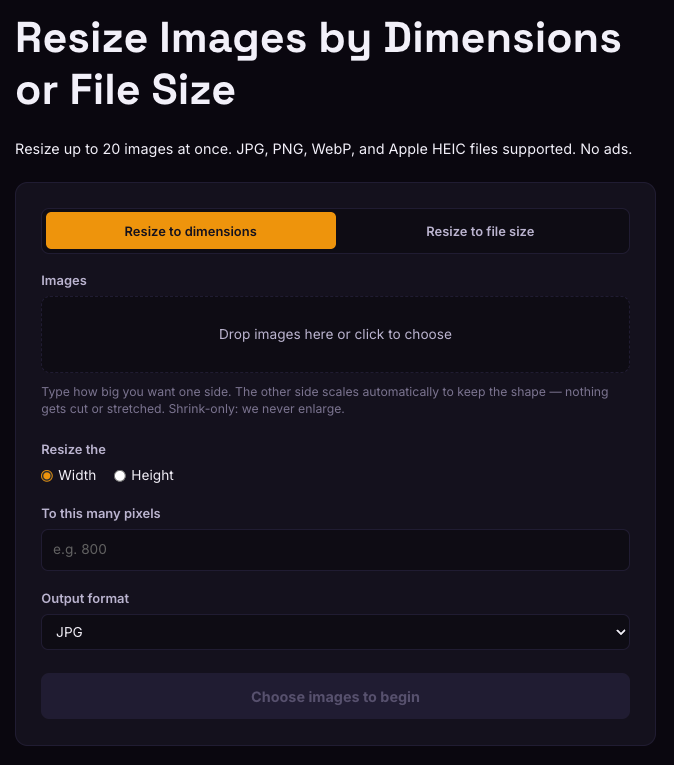
- Resize Images to Exact Pixel Dimensions Batch-resize up to 20 images to exact pixel sizes or a target file size. JPG, PNG, WebP, HEIC. Open tool →
- Resize for Social Media — Batch Resize to Platform Widths Resize up to 20 photos at once to the width Instagram, Facebook, X, or LinkedIn expects — proportional, never stretched. Open tool →
- SVG to DXF — Convert for Laser Cutters & CNC Convert SVG files to clean DXF with correct units, preserved layers, and optimized cutting order. Open tool →
- Sign a PDF — Draw and Place Your Signature Draw your signature, drop it anywhere on the page, and download the signed PDF. No account, no upload. Open tool →
- Split a PDF — Extract the Pages You Need Extract specific pages or split every page into its own file. Enter page ranges, download instantly. Open tool →
- VCF Card Maker — Create a Contact Card with Photo Build a vCard (.vcf) contact file with name, phone, email, company, and photo — ready to share or import. Open tool →
Why WebToolsBetter
Built the way file tools should work — not the way ad-funded ones do.
One hub saves you the hunt
No more searching for a different site every time you need to resize, compress, or convert. One login, one credit balance, one place you trust — so the job that used to mean ten browser tabs and three sketchy sites takes one.
No ads, no watermarks
Clean output every time. No banners, no pop-ups, nothing stamped on your files.
HEIC handled
Convert iPhone HEIC photos to JPG, PNG, or WebP so they open anywhere — where most free tools choke.
Honest about limits
We never fake quality or upscale past what's really there. If a tool can't do something well, it says so.
🔒 100% private by design
Your files never leave your device. Everything is processed right in your browser — we never receive, see, or store your files. There's nothing to keep.
How it works
Sign up free and you get 2 credits to try it — no card required.
Sign up free
Create an account and get 2 free credits on the spot. No credit card to start.
Pick a tool
Choose what you need, drop your files in, and set your options. One credit per image.
Download
Your files are processed and downloaded straight from your browser to your device. Nothing is uploaded, nothing is kept.
Stop searching. Start in one place.
One hub for resizing, compressing, and converting your files — no ads, no watermarks, nothing kept.
Start free — 2 credits